
SageCRM Quick Postcode lookups
Nick Rainbird • July 31, 2020
Quick Postcode Lookup address validation for SageCRM will ensure your customer data is always accurate at the point of entry.
Are your SageCRM users fed up with typing new addresses into SageCRM when adding new customers, leads or additional address types?
With the postcode lookup creation you can easily find addresses, based on postcode, and have the selected address populate the SageCRM address screens.
When entering a postcode value the lookup facility will provide the user a list of matching address results based on the postcode entered.
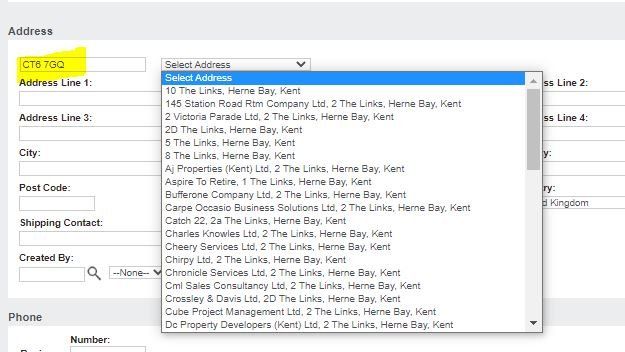
When an address is selected from the results list the SageCRM address fields are auto populated with the correct address information which can be specified in the configuration setup. The Postcode Lookup facility is also aware of whether the address is a company or personal address and fills out the fields accordingly. Address fields are populated in the correct formatted case not all in UPPERCASE or a mixture of each in different fields.

Please note the postcode lookup works on UK postcodes and as such is a UK only product and can only search on UK postcodes.
If you would like to find out more about the Quick postcode Lookup feature or schedule a demonstration then please feel free to get in touch on
01494 490409
or email the me at
nick@rainbirdbusiness-solutions.com
to discuss these further.
Until the next SageCRM Insights instalment keep safe and we will continue to help you unlock your success with SageCRM!
Nick
Rainbird Business Solutions
Stay Connected with ERBS
Read our latest updates
Enquire now
Get in touch

AI is good, Human judgment is better Everywhere you look, AI is being positioned as the solution to every CRM challenge. AI will transform sales. AI will revolutionise customer service. AI will eliminate administration. AI will predict your next customer opportunity before you even know it exists. AI can draft the email. But should that email be sent? In CRM, this is where human judgement matters. AI is a powerful assistant for the time-consuming / repetitive tasks that take up the working day: condensing meeting notes, drafting customer communications, identifying patterns and helping teams prioritise leads. That gives people more time to focus on the customer. It does not make their expertise less important. Where human judgement wins: A CRM system can suggest the next best action, but it cannot fully understand the complexities of a customer relationship built over years A salesperson might hear hesitation in a buyer’s voice that never appears in the Ai transcript A support team might know that a routine complaint follows weeks of frustration. The suggested response may look right on screen, but still be wrong for that relationship. Building trust, negotiating a difficult deal and deciding when to make an exception require context, empathy and accountability. AI can offer information; people still need to decide what to do with it. While AI widens the map, humans lay out the path. The strongest approach combines both: let AI handle the first draft and the repetitive work, then use human judgement to check the details, shape the response and make the final decision. Start with one time-consuming task, and ask your team what better customer conversations that saved time could make possible. The businesses seeing the greatest success with AI are not removing people from the process. They are empowering people with better information.
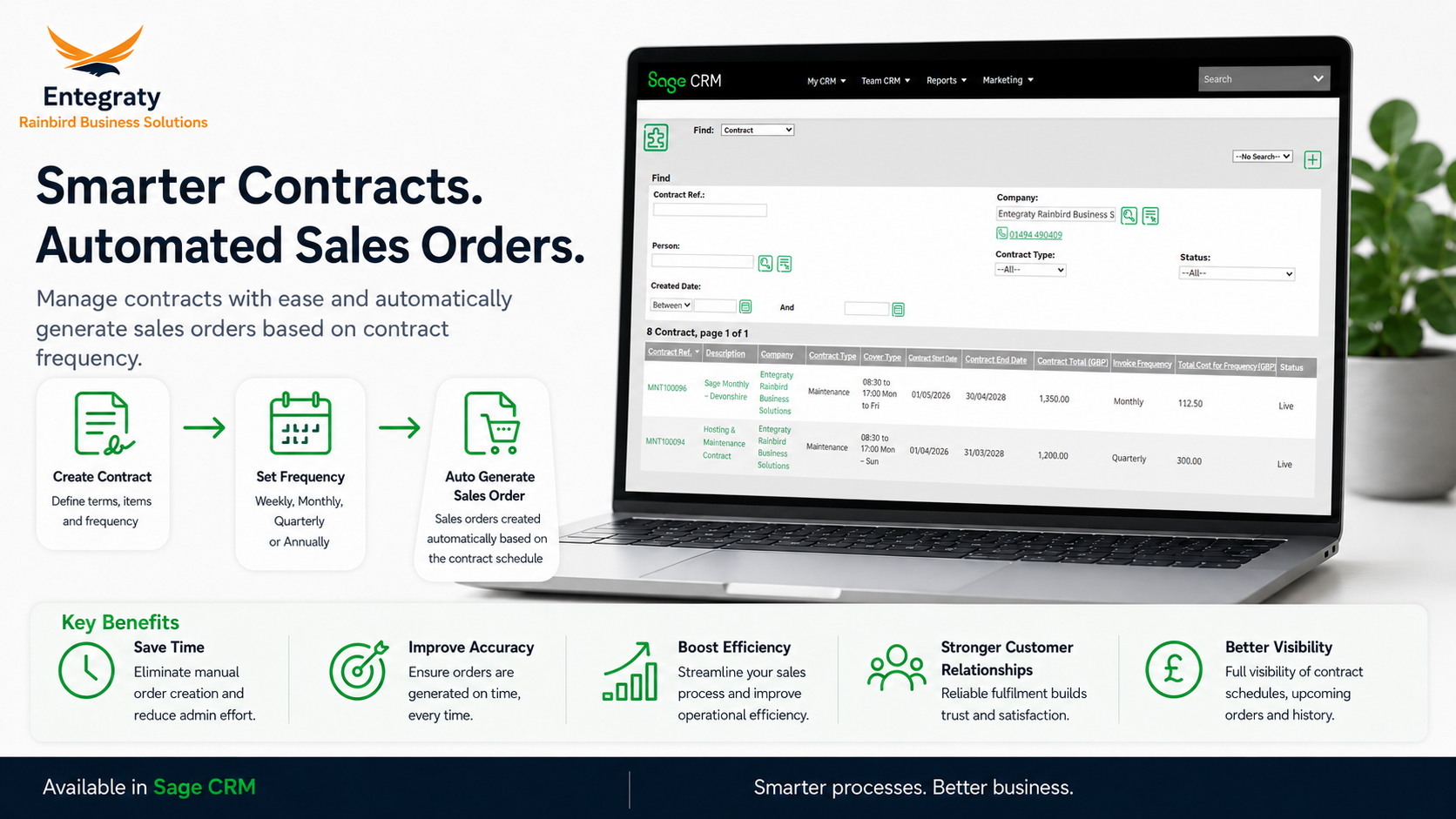
ERBS's Contracts module for SageCRM allows businesses to easily create and manage contracts, renewals and automatically generate sales orders based on the contract billing frequency, helping teams streamline operations, reduce manual effort, and improve billing accuracy. Fully integrated with Sage50 and Sage200 the auto generated sales orders can then be posted from SageCRM directly at a click of a button. Key Features: Contracts can be created directly from sales quotations or orders Supports multiple and custom billing frequencies (4 weekly, monthly, quarterly, annually) Contract and Product level Site management Process contract amendments midterm tracking historic changes and authorisations if required Easy Management of Annual Price Increases at product level Renewal and purchase order reminders and dashboards On Hold and Cancellation processes By connecting contracts directly to automated sales order generation, businesses can create a more reliable and scalable process for recurring business that help teams work smarter, improve visibility, and accelerate growth If you would like to find out more about the Contracts module for SageCRM please feel free to get in touch on 01494 490409 or email me at nick@rainbirdbusiness-solutions.com to discuss these further.
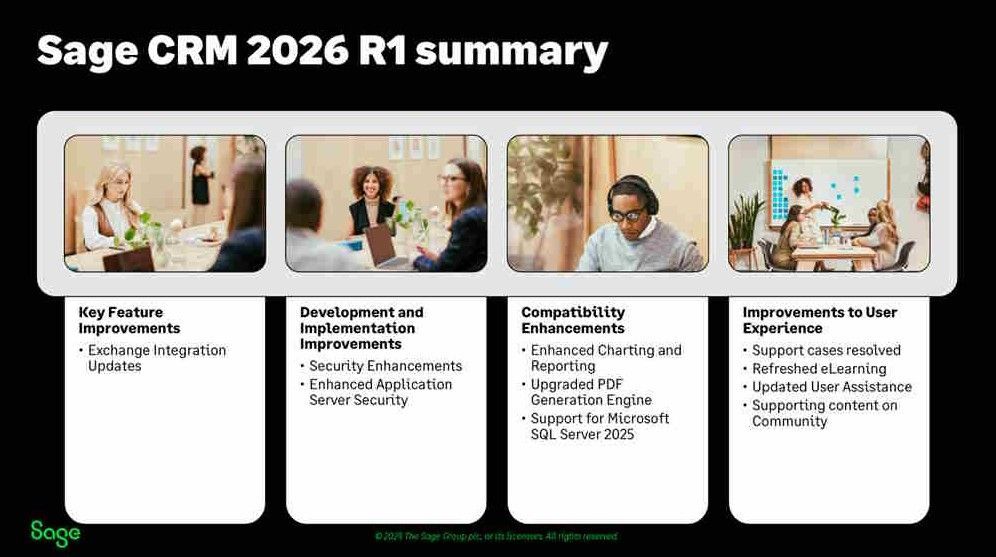
SageCRM 2026 R1 is positioned as a Security and Compatibility release, focused on reinforcing the platform’s resilience, reliability, future readiness and long-term sustainability.